Be there instantly.

Remote expert guidance.

Choose your Adventure.

Fast Video Guidance and Help Threads

Call Centers

The caller is already on the phone in your call center software. The agent sends a Help Lightning link. The caller clicks it, the live view opens, and the phone call stays up. Help Lightning starts while the conversation continues.

Learn more

Help Threads

Field Service

A technician is at the job site with a unit that will not clear. The team chats in the Help Thread, takes the photos, pulls the manual, and gets an expert on a live session. When the Thread closes, the work is the record.

Learn more

Help Threads and Procedures

Manufacturing

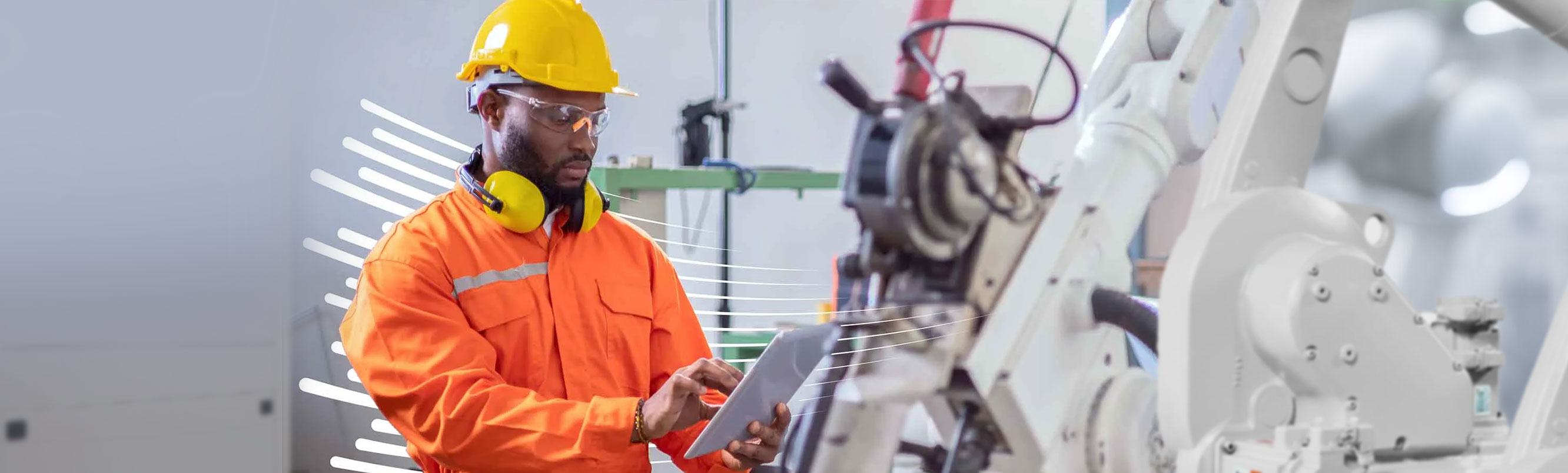
A production line will not wait for a specialist to fly in. An expert sees the station through the live view. The annotations, and the Procedure that worked, stay in the Thread so second shift does not invent the fix again.

Learn more

Procedures

Inspections

Open the Procedure on this asset. Capture a photo or a video of the step, record the reading, and sign off. If a check will not close and the specialist is not at the job site, they join a live session. The completed Procedure stays in the Help Thread.

Learn more

Take a closer look.

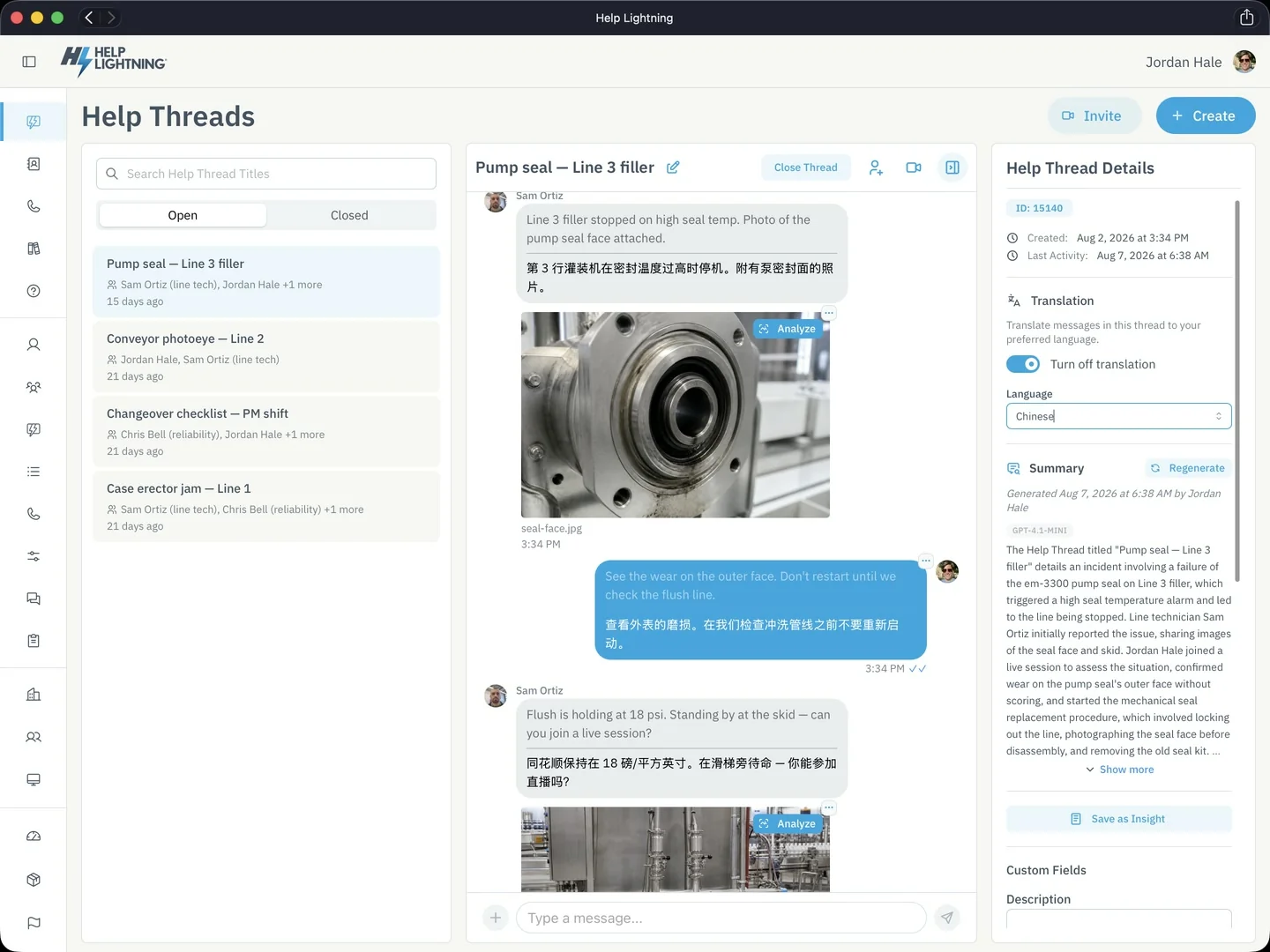
A Help Thread for a pump seal: messages, photos, and the work that stayed.
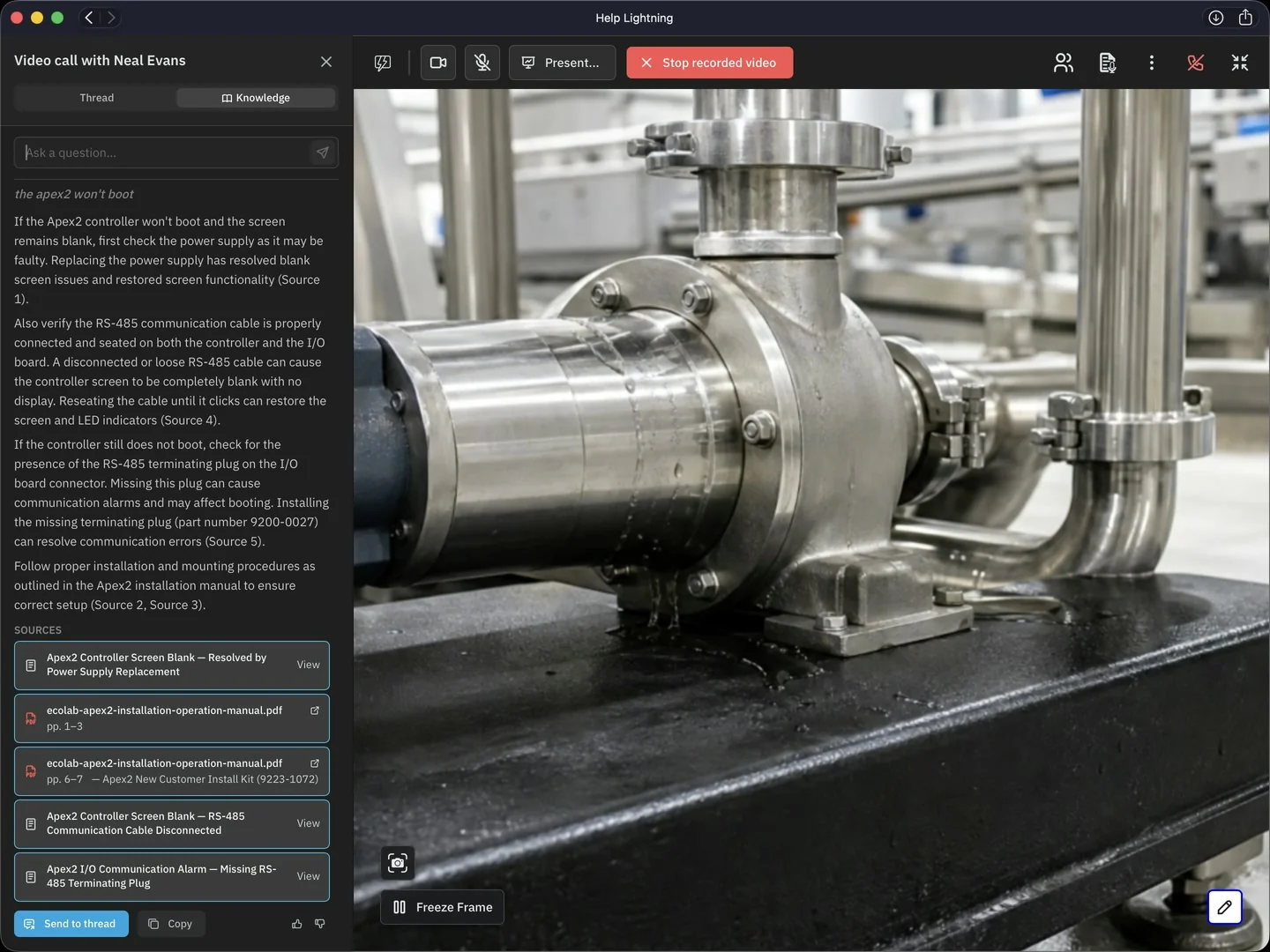
A live view of the equipment during a live session, with manuals open beside it.
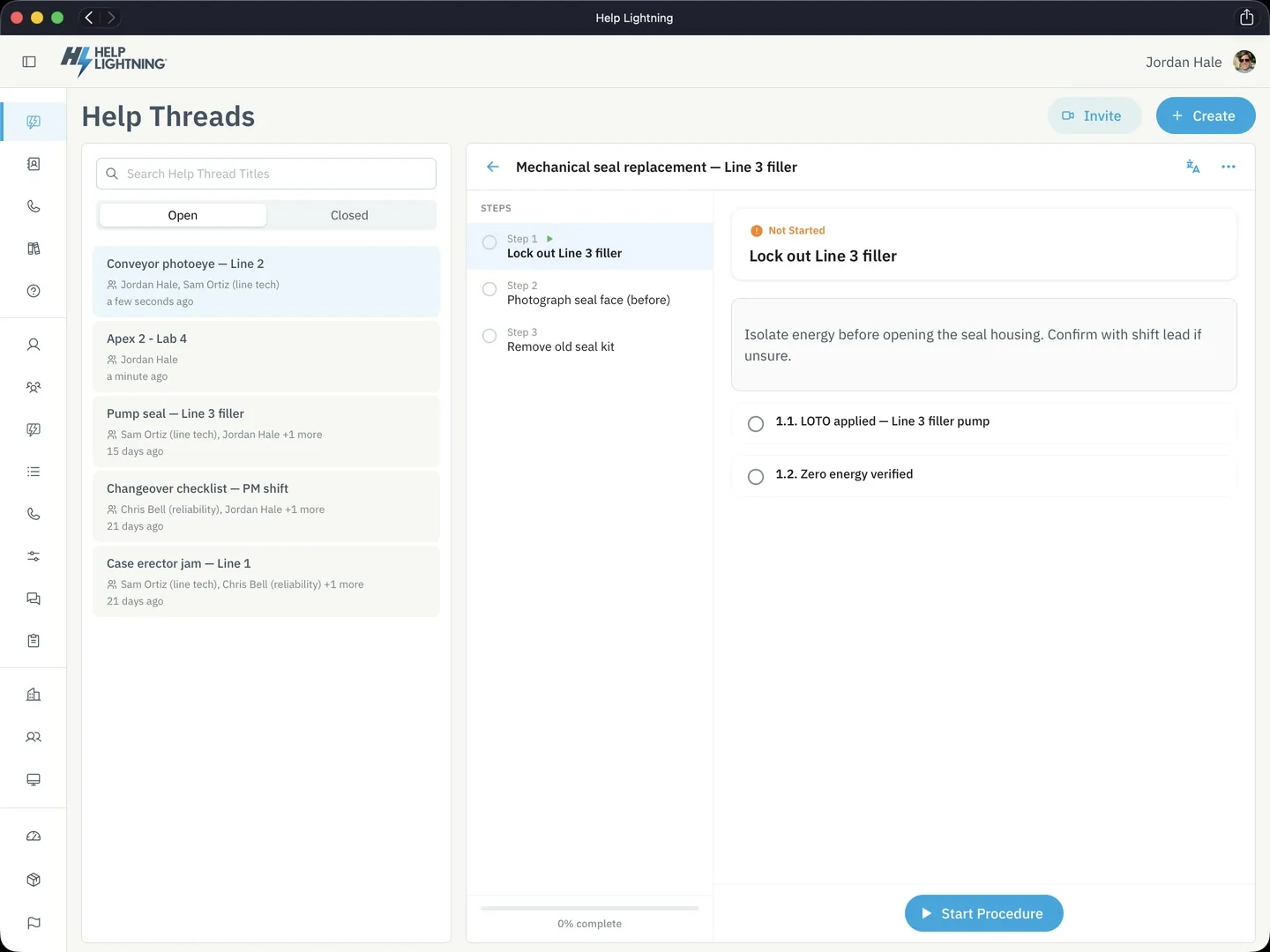
A Procedure open in a Help Thread: lock out, photograph the seal, remove the kit.
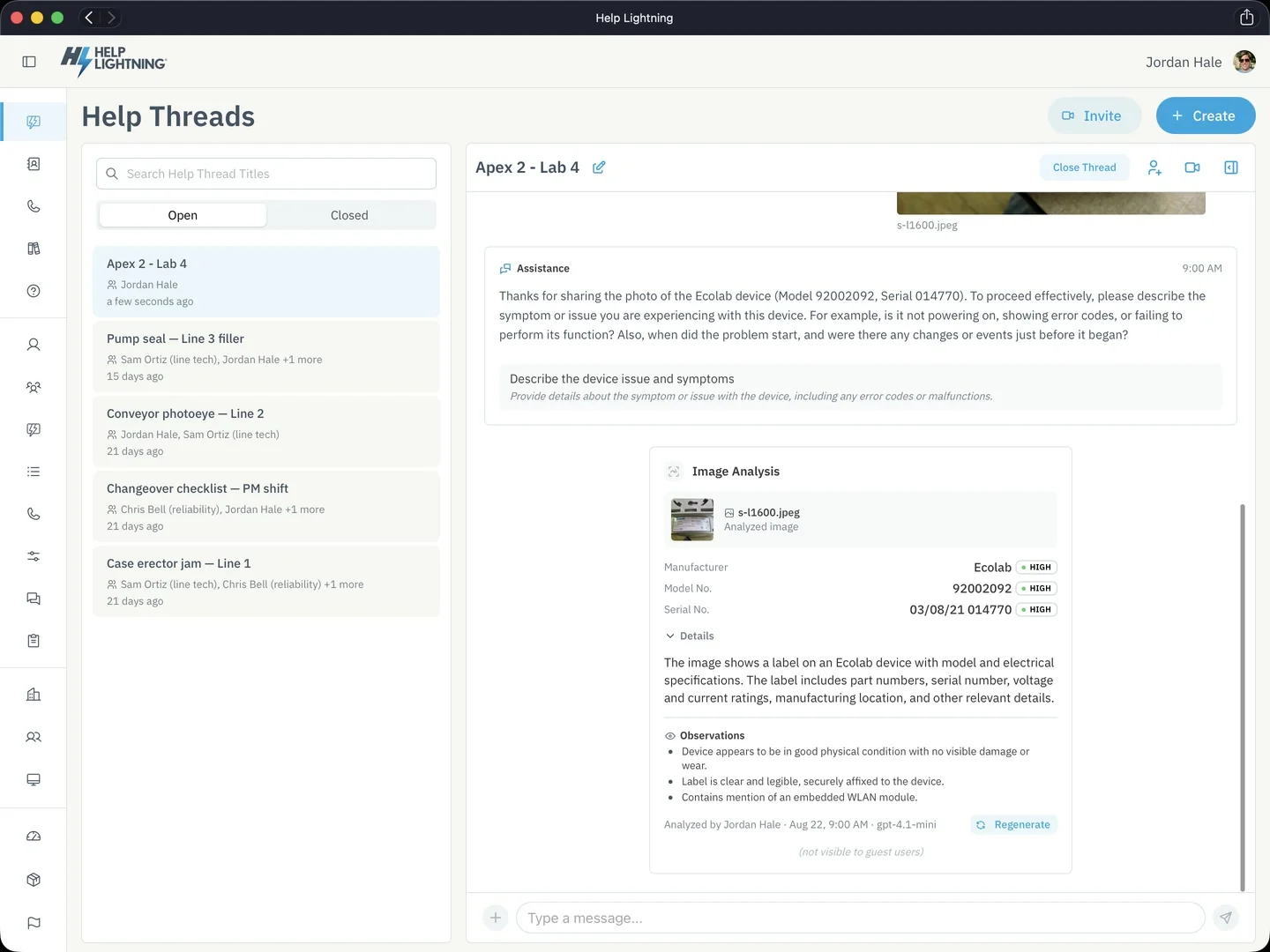
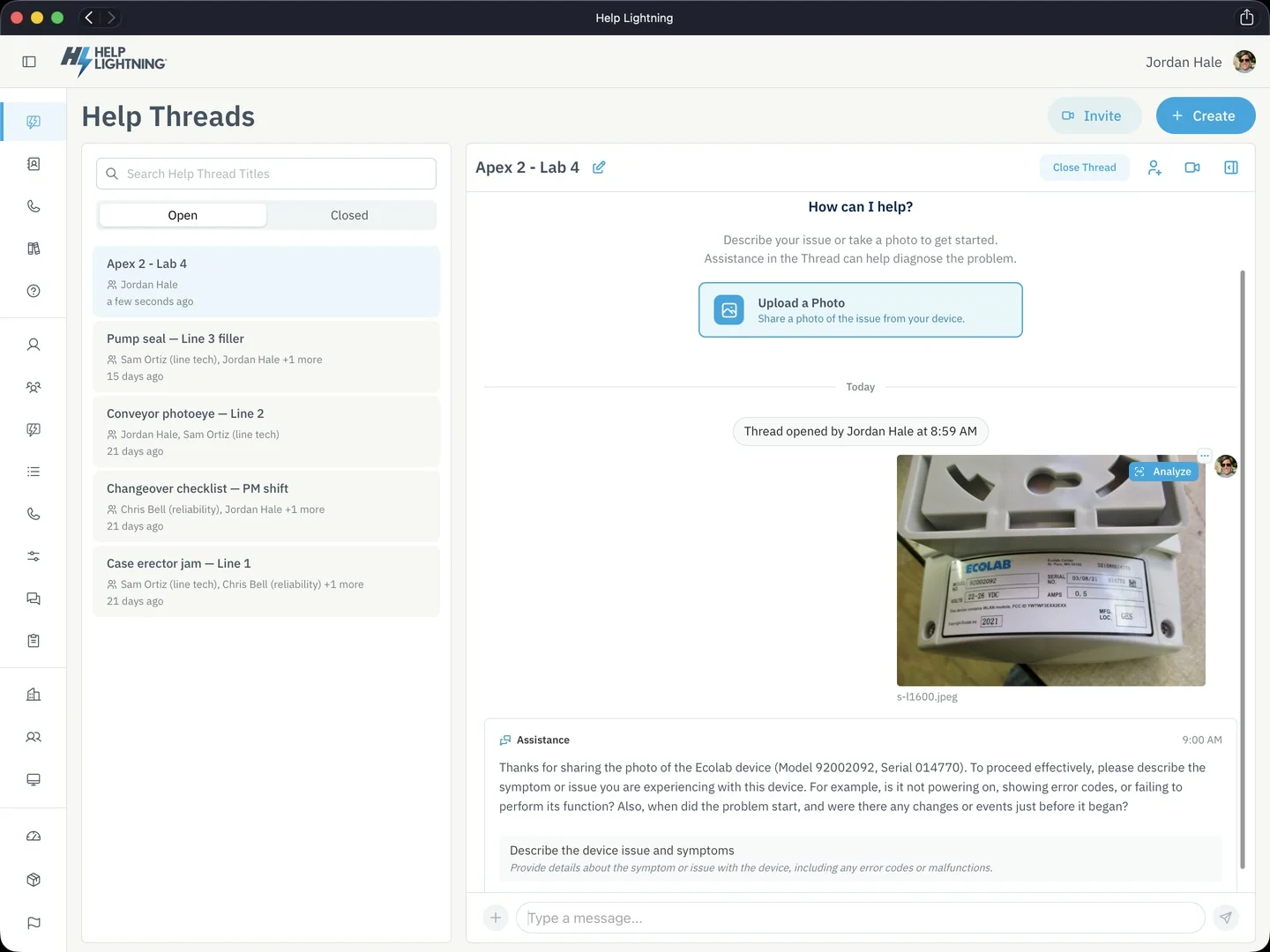
A Read of an equipment plate: manufacturer, model, and serial pulled from the photo.
A Help Thread with messages in English and Chinese, and translation on in the details pane.
A technician works from a tablet while Merged Reality puts the expert’s hands on the equipment.
  • Help Threads. When the live session ends, the Thread saves what happened.

  • Live view. Point the camera at the equipment so the expert can guide the work in context — annotate, zoom, freeze, take a screen capture, or record video.

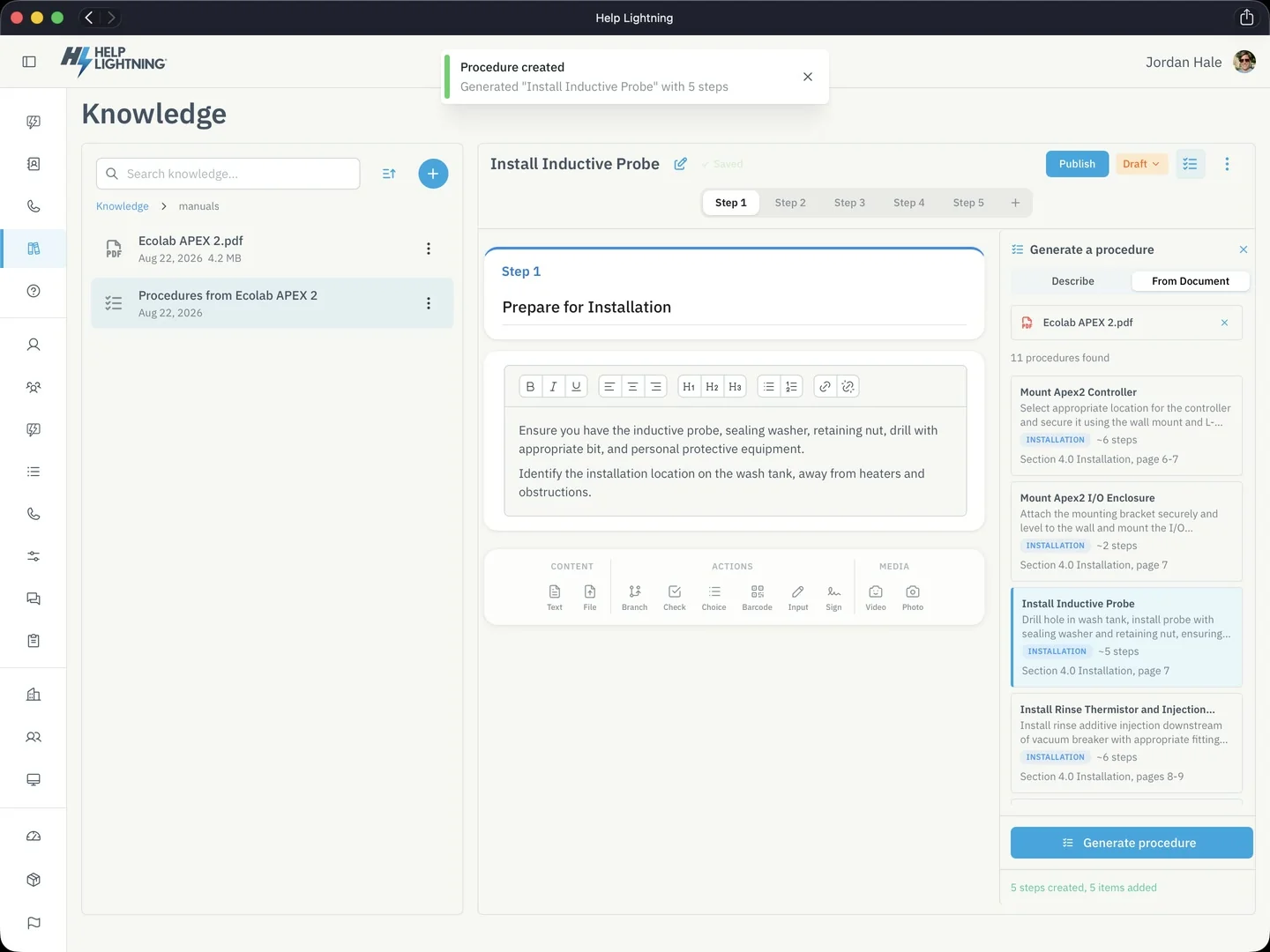
  • Procedures. The next person runs the same steps, with proof, instead of inventing the job again. Thread Tools can draft one quickly from your manuals.

  • Thread Tools. Recap, Read, and Keep work inside the Thread. All of them use AI.

  • Translator. People in the Thread can follow the conversation and the work in their own language.

  • Merged Reality. When an annotation is not enough, the expert puts their hands into the live view. Learn more about Merged Reality.

Help Thread

When the live session ends, the Thread saves what happened.

The people, the files, the Procedure, and what they tried stay together.

Thread Tools are AI tools inside the Help Thread. People use them during a live session, and after it ends.

  • People and messages.

    Who joined, what they asked, and what they tried stay with this Thread. People outside the company can join from a link. They do not have to download an app.

  • Live view.

    The camera view, annotations, and recording stay with the Thread.

  • Files and Procedures.

    Photos, manuals, and the steps already completed stay with the Thread.

  • Keep.

    Thread Tools find repeated fixes and useful patterns in a Thread. A Keep saves the fix for the next time the same problem returns.

Thread Tools.

Recap what happened, read a photo or a page, and keep what worked — still inside the Help Thread.

Thread Tools use AI to recap, read, and retrieve. Your experts stay responsible.

A Recap in the Thread details: what failed, what was shared, and where the work landed.
A Read of an Ecolab plate from the photo: manufacturer, model, and serial.
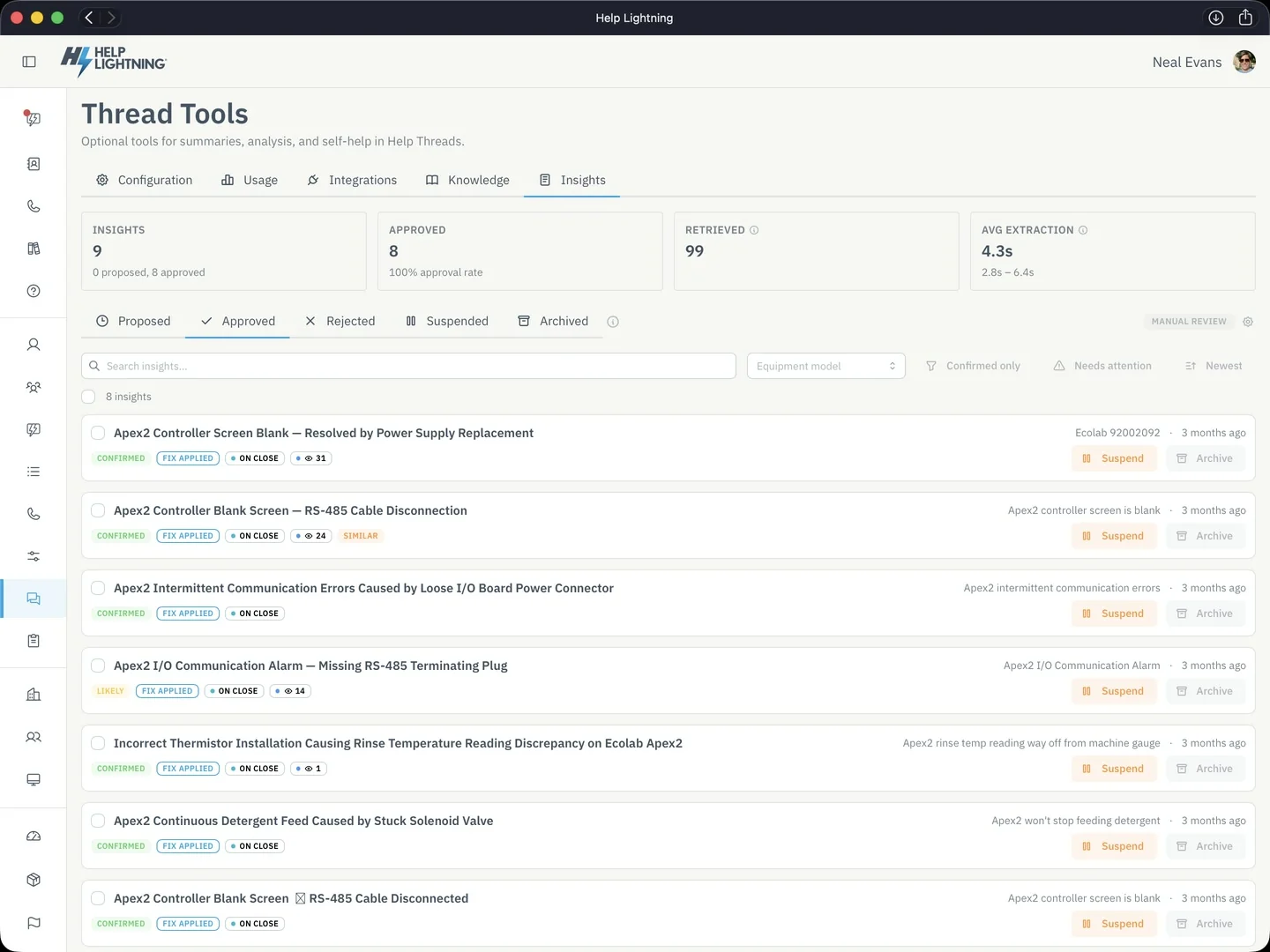
Approved Keeps from closed Threads: the symptom, the fix, and who reviewed it.
Draft Procedure from a manual: Install Inductive Probe, five steps, generated from the Apex 2 PDF.
Ask Manuals during a live view: an answer with cited manuals and prior Keeps, ready to send to the Thread.
Ask the Thread on new work: How can I help, a photo of the unit, and the first reply.
  • Recap. A short account of what happened — who did what, what was tried, where it landed.

  • Read. What’s in this photo or this page: the plate, the error code, the schematic, the damage.

  • Keep. From a closed Thread, Thread Tools use AI to draft a Keep with the symptom, the steps, and the fix that worked. Your team reviews and approves it, so the next person facing the same problem can start from what already worked.


  • Draft Procedure. Your manuals and other documents, written quickly as a Procedure the next person can follow.

  • Ask Manuals. An answer from your manuals where they already live — SharePoint, Google Docs, and the rest — with sources cited. Your document repositories stay the source of truth.

  • Ask the Thread. Start from what the team already knows — approved Keeps and manuals — before anyone joins.

Procedures

When the work should be the same every time, a Procedure sits in the Thread.

Teams walk the steps, capture proof, and sign off where the work is happening — not in a binder someone has to remember to open. Draft Procedure can write the first cut from the manuals and other documents you already keep.

  • Draft and assign.

    Draft Procedure writes a Procedure from your manuals and other documents. Someone reviews it, then puts it in the Help Thread.

  • Run and capture.

    The person at the job site works the steps. Photos, readings, and what they completed stay with the Thread.

  • Review and close.

    Quality can read the completed run. The next person opens the same Procedure, not a blank clipboard.

A technician works from a tablet while Merged Reality puts the expert’s hands on the equipment.

Merged Reality

Show the next move.

When an annotation is not enough, the expert puts their hands into the live view. Point, demonstrate, and guide in the context of the equipment — not in a separate diagram the person at the job site has to translate.

The first visit can be the last one.

Teams already using Help Lightning finish more work on the first try, and skip the truck when the camera is enough. Figures are from customer teams. Message and live-session counts are the last twelve months on the platform.

  • Up to

    81%

    first-time fix

    A field-service customer

  • About

    22%

    of dispatches avoided

    A field-service customer, 2025

  • In 2025

    1,825

    remote estimates

    A collision customer

  • More than

    $9M

    realized from those estimates

    A collision customer, 2025

  • Last 12 months

    415,862

    Help Thread messages

    Help Lightning platform

  • Last 12 months

    936,236

    live sessions

    Help Lightning platform

Vision Pro

Spatial computing for how your team works.

On Vision Pro, the Help Thread gives your team room for the live view, images, and documents. Merged Reality brings the expert's hands to the equipment, and Logitech Muse captures measurements that stay with the Help Thread.

Help Threads in the middle of the room on Vision Pro, with a popped-out image window beside it.

Windows in the room. The Help Thread, an image, a live view — each in its own window. Docs pop out beside your team's live view.

Merged Reality on Vision Pro. Ghost hands and a red annotation sit on a live view of a bench.

Merged Reality. The expert puts their hands on the equipment. Point, then make the next move on the equipment.

A measurement on Vision Pro with Logitech Muse. A blue line reads 79.2 cm.

Measure. With Logitech Muse, your team captures distance in the room, and the reading stays in the Help Thread.