See the unit before the truck rolls.
The person at the problem already has a camera. Your experts can see the fault, the plate, and the step that failed, then guide the fix so a truck does not have to roll.


Because the person who knows is rarely the person standing there
A ticket flattens the fault into a sentence. A phone call guesses at the part. A video meeting still leaves the expert outside the work. Help Lightning puts the expert in the live view with the person who is already there. When the live session ends, the Help Thread keeps the messages, the photos, and the fix.
The person at the problem already has a camera. Your experts can see the fault, the plate, and the step that failed, then guide the fix so a truck does not have to roll.
Talking around a unit wastes the visit. An annotation sits on the live view: this bolt, this hose, this error. The person at the job site keeps their hands free to fix the problem, instead of hunting through a thick manual.
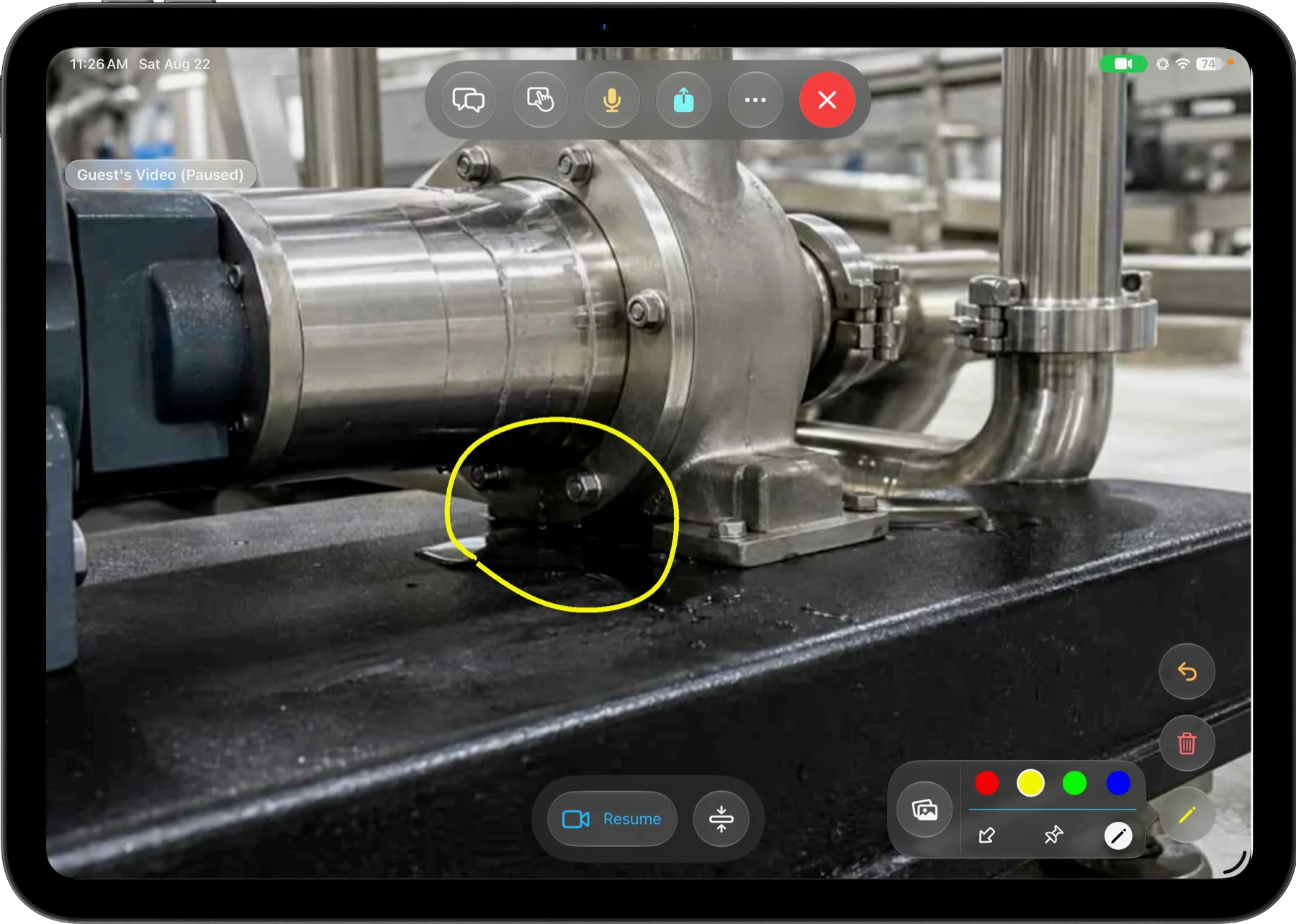
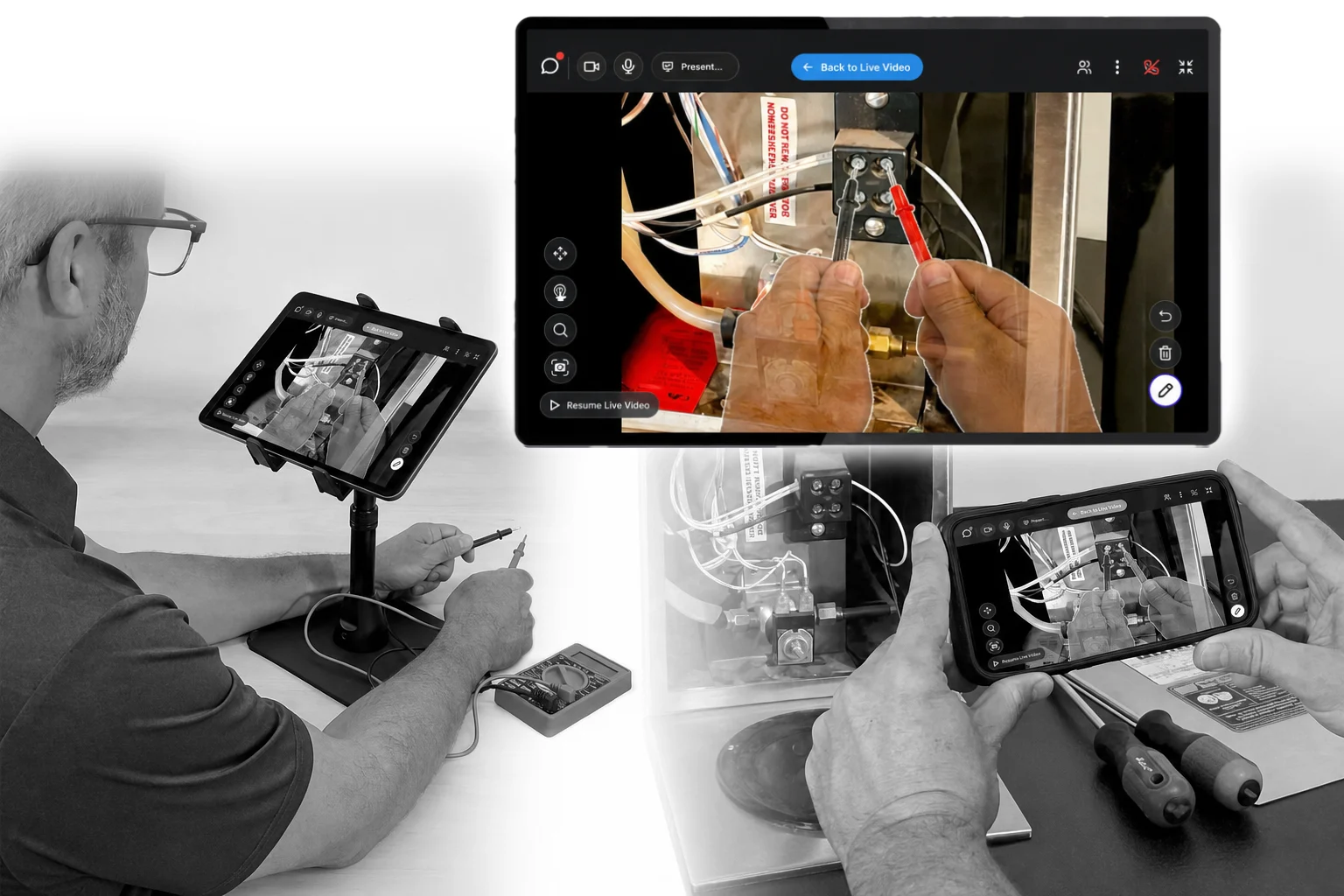
Merged Reality puts the expert’s hands into the live view. Point, turn, and show the next move on the equipment itself — not in a separate drawing the person at the job site has to map back onto the machine.
The caller is already on the phone in your call center software. The agent sends a Help Lightning link. The caller clicks it, the live view opens, and the conversation continues. Help Lightning starts without hanging up.

The agent can invite the caller, see the unit, guide the fix, and wrap the session without slowing the queue. The next caller is already waiting.

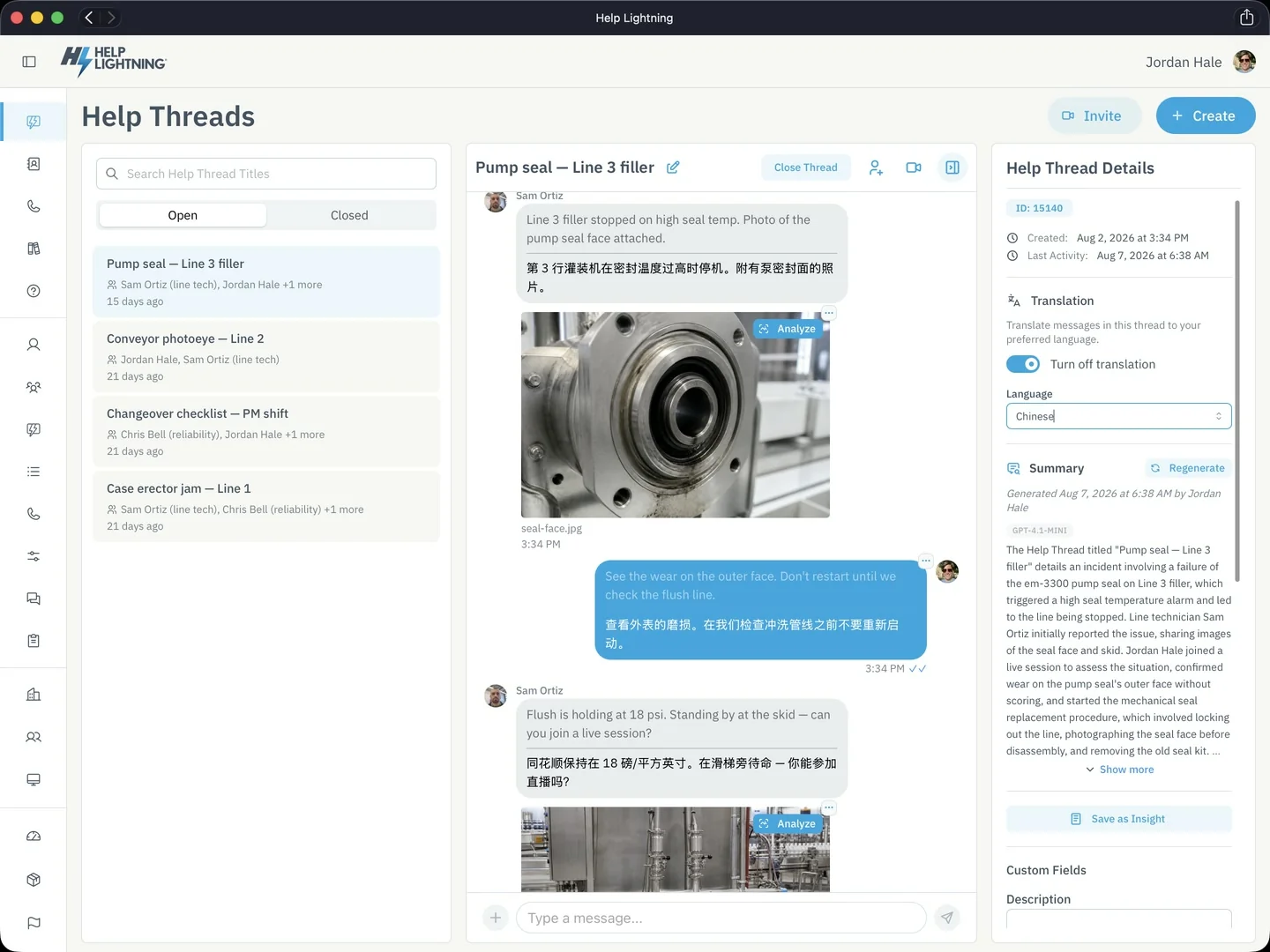
When the live session ends, the messages, the photos, what they tried, and the files stay in a Help Thread. The next person on that unit opens it and continues — even someone outside the company, from a link, with no app to download. Summarize thread can write a short account of what happened. Analyze photo can take a nameplate photo and give you the model and serial number. Your experts still choose the fix. The more you put in Help Threads, the more material Thread Insights has the next time the same problem returns.
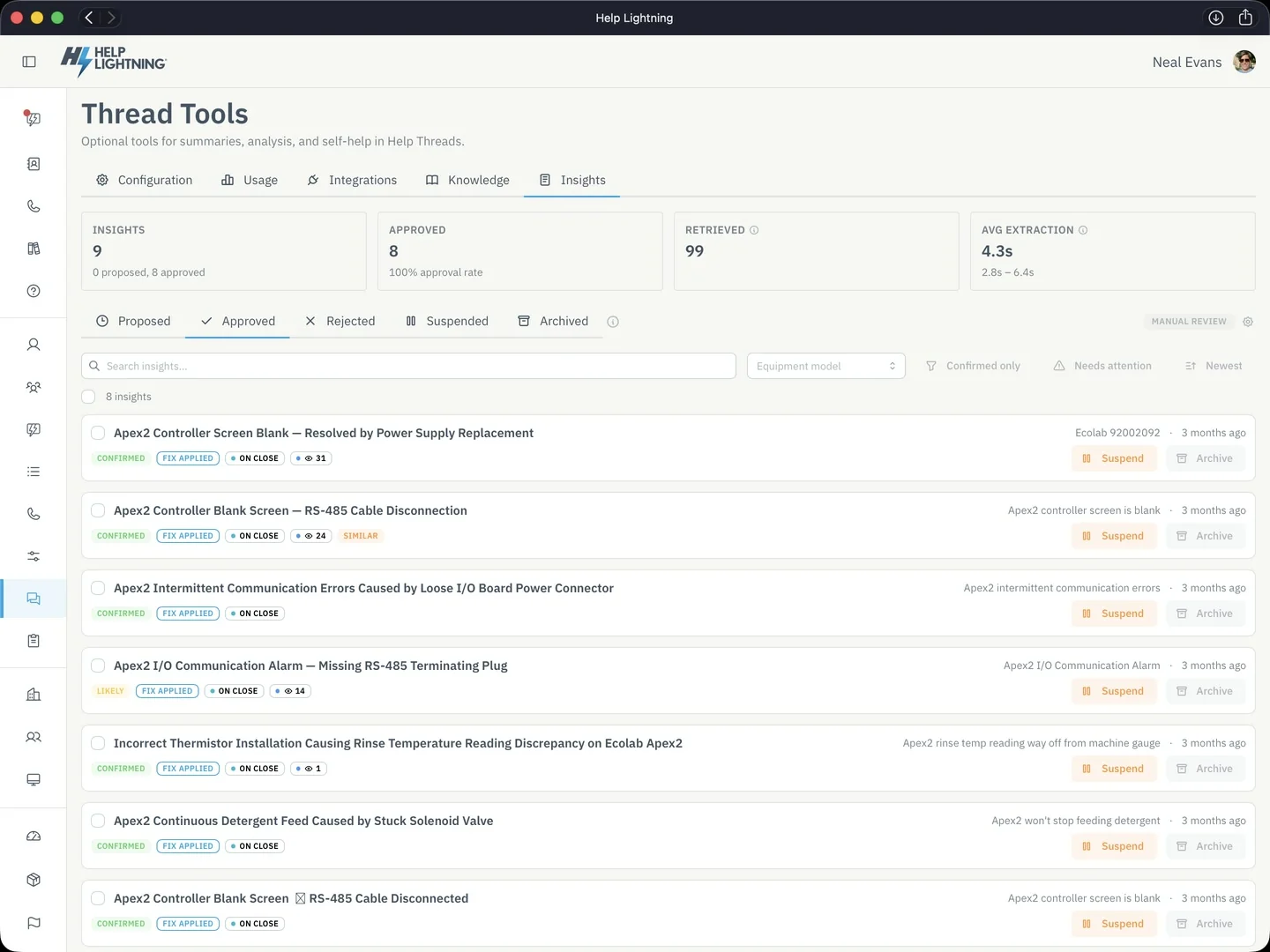
Thread Insights, a Thread Tool, uses AI to draft the symptom, the steps, and the fix from a closed Help Thread. Your team reviews and approves it, so the next person starts from work the team already trusts. When the work should be the same every time, a Procedure sits in the Thread: capture the photo or the video, record the reading, and sign off.
Teams already using Help Lightning finish more work on the first try, and skip the truck when the camera is enough.
Up to
81%
first-time fix
A field-service customer
About
22%
of dispatches avoided
A field-service customer, 2025
In 2025
1,825
remote estimates
A collision customer
Last 12 months
936,236
live sessions
Help Lightning platform
Figures are from customer teams. Live-session counts are the last twelve months on the platform.
Start with the product overview, or talk with us about a license.